Make room for
a great event.
From the first booth to the last connection.
Design your floor plan, sell your space and help everyone find their way.
Bring your existing plan · Explore the demo without signing in
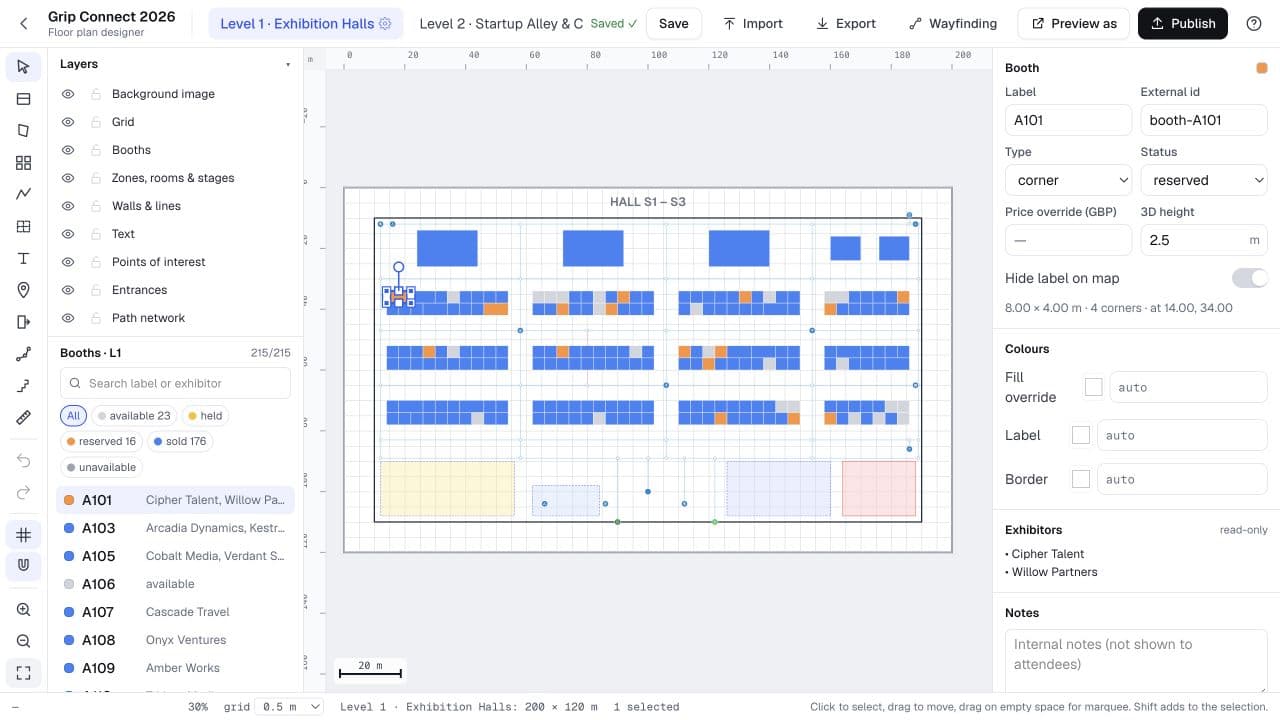
Every booth, every hall, every detail. In your hands.
Open the organiser portalBIG IDEAS NEED A PLACE TO MEET.
A CONNECTED SHOW FLOOR
One floor plan.
So many possibilities.
The plan shouldn’t stop at a PDF. Give your team, exhibitors and attendees their own way into the same event.
01 / DESIGN & PUBLISH
Your floor.
Your master plan.
Start with the plan you already have. Turn PDFs and images into editable booths, then fine-tune the whole hall in one visual workspace.
- Import, draw and arrange booths
- Manage multiple halls and levels
- Preview each experience before publishing
02 / BOOTH SALES
The best spot.
A simpler booking.
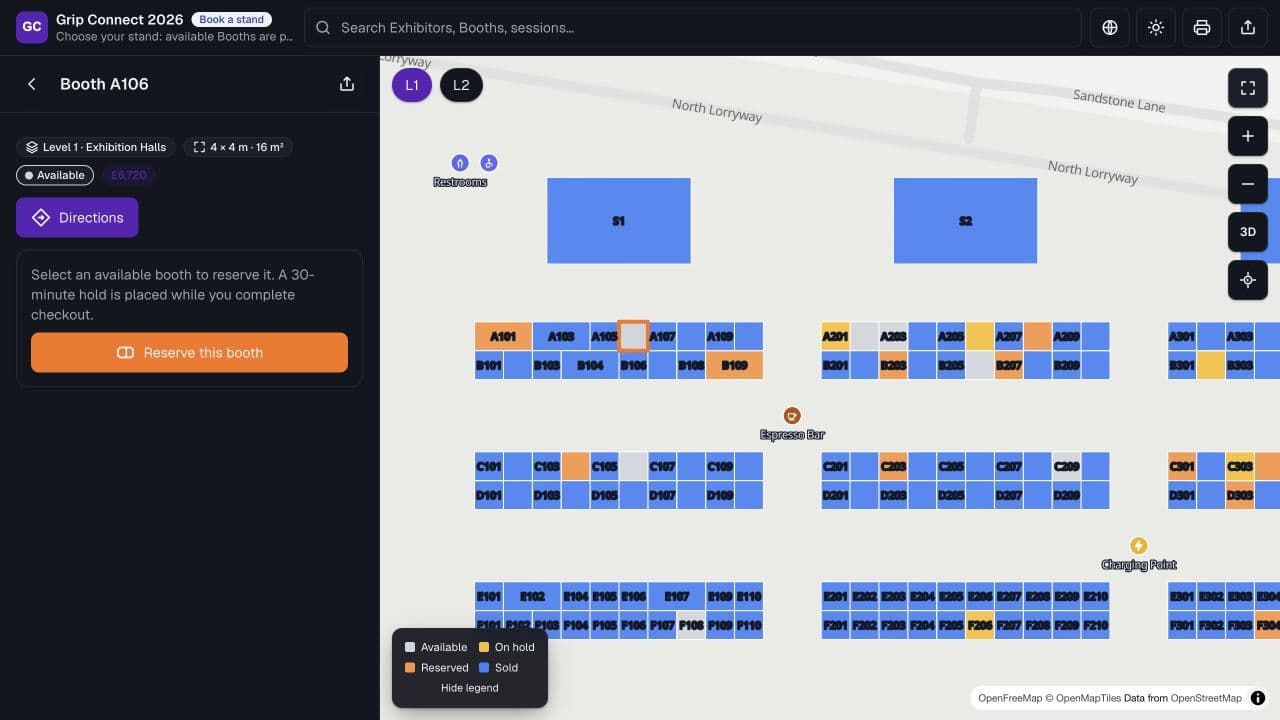
Let exhibitors explore the floor, compare stands and choose where they want to be. Availability, dimensions and pricing are right there on the map.
- Dedicated booking view for exhibitors
- Stand reservations with timed holds
- Extras, sponsorships and invoice options
03 / ATTENDEE EXPERIENCE
Less looking around.
More finding your people.
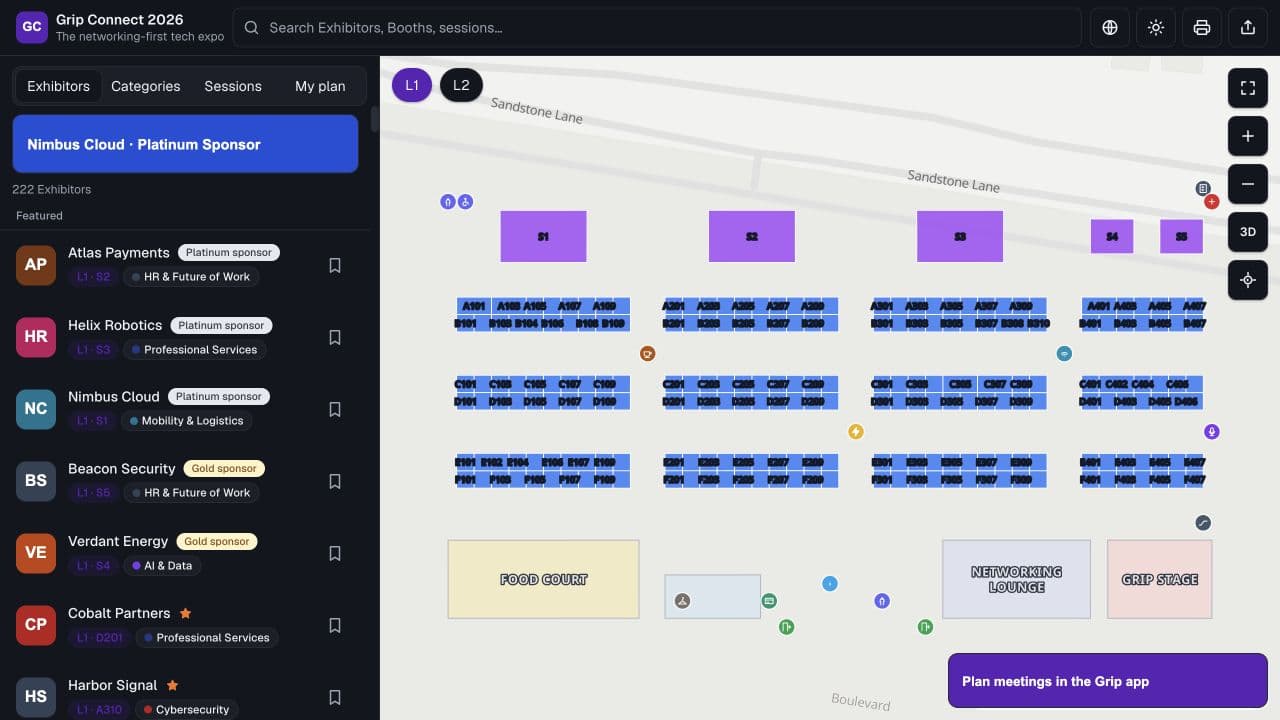
Make a big venue feel easy to explore. Help attendees discover exhibitors, build a personal plan and get from one great conversation to the next.
- Search exhibitors, booths and sessions
- Save favourites and plan a route
- Directions across halls and levels
THE ORGANISER’S VIEW
Keep your finger
on the show floor.
Booth inventory, sales and visitor activity, together in one dashboard. See how your event is taking shape and where to focus next.
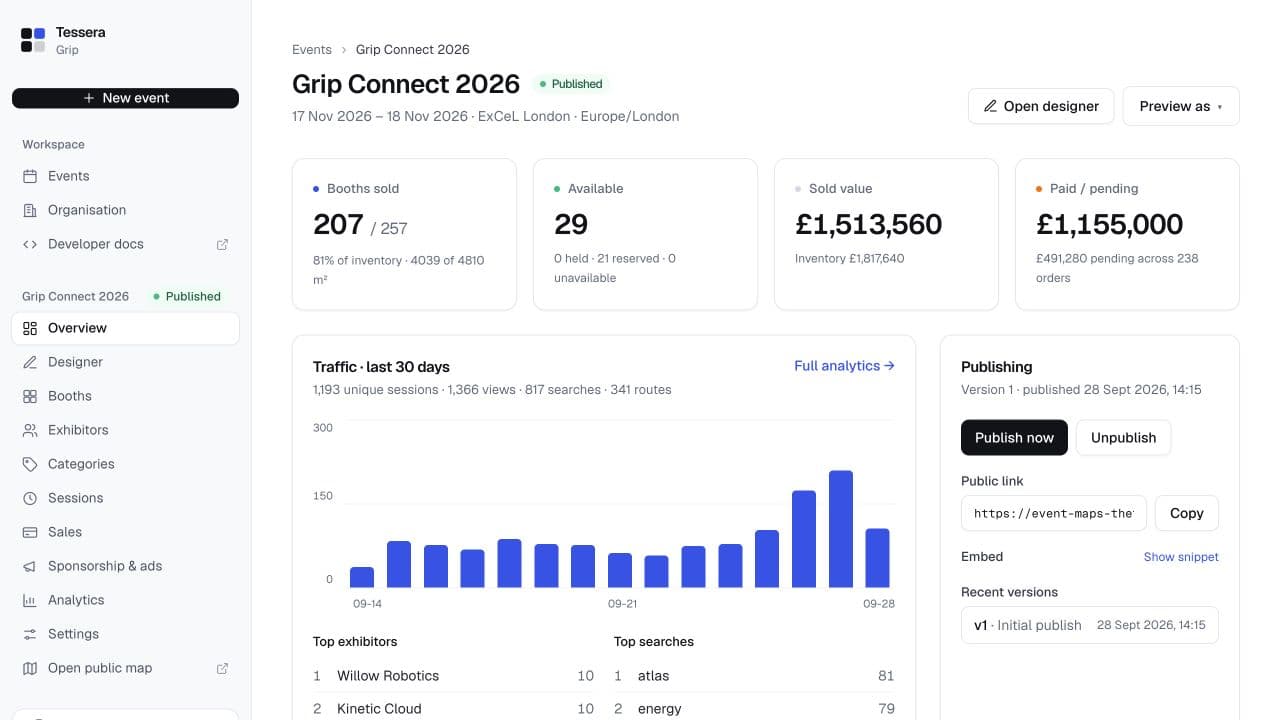
Actual product · Illustrative demo data
FITS RIGHT IN
Your event.
Your ecosystem.
Keep the tools and touchpoints your audience already knows. Add your live floor plan to your website or event app, and connect the data behind it.
Explore the integrationsEmbed anywhere
A live map on your website, in your event app or on a venue screen.
Built to connect
An API, SDK and webhooks for workflows that go beyond the map.
Coming from ExpoFP?
Compatible endpoints and a migration guide to help you make the move.
Your plan. Your data.
Export your floor plan and work with your data on your terms.
LET’S PLAN YOUR NEXT EVENT
A small show or
the whole exhibition centre.
Tell us about your venue, booth count and the experience you want to create. We’ll talk through the right setup and pricing for your event.
Can I use the floor plan I already have?
Yes. Upload a PDF, image or SVG in the event wizard, review the detected booths, then refine the layout in the designer. You can adjust booth numbers, shapes and exhibitor assignments before publishing.
Can exhibitors choose and book their own stands?
Yes. A dedicated booking map shows stand availability, dimensions and prices. Exhibitors can choose a stand and reserve it. Your event’s sales settings control reservation, payment and invoice options.
How do attendees find their way around?
Attendees can search exhibitors and booths, browse categories, save favourites and get directions. The map supports multiple levels and accessible routes, so visitors can plan their visit before they arrive.
Will it work on our website or in our event app?
Yes. Embed the map with an iframe or use the JavaScript SDK to connect it to your website or event app. Your team can use the API and webhooks for deeper integrations.
We use ExpoFP. Can we switch?
Tessera includes ExpoFP-compatible data endpoints and SDK methods to help with migration. Import your existing plan, reconnect your integration and test the workflows you use. Our migration guide explains what to check.
EVERY HALL. EVERY BOOTH. EVERY STEP.